
union jack logo

365 Retail Markets Smart Stores and Kiosks

Connected smart-store cabinets, micro-market checkout kiosks and coffee payment interfaces for unattended retail locations that need more than a single machine.

Choose How Your Customers Pay

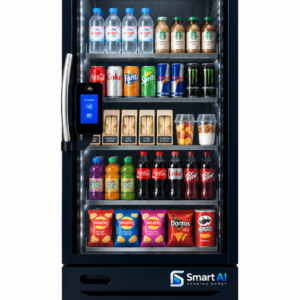
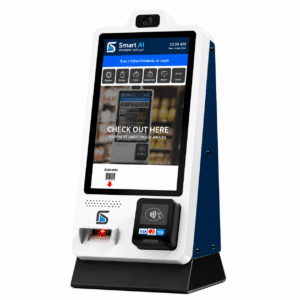
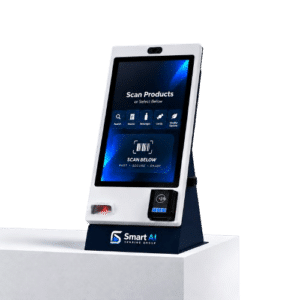
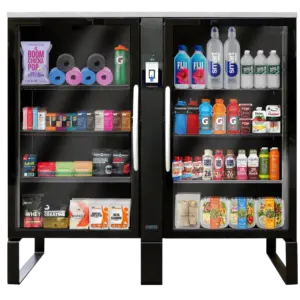
The 365 Retail Markets range is built around the checkout journey. Vision cabinets let customers browse, take products and finish their visit without scanning each item. The standard PicoCooler and the self-checkout kiosks use a scan-and-pay workflow for products chosen from the cabinet or from surrounding shelves.

That makes 365 a flexible starting point for a smart store in a workplace, hotel or shared building, or for a micro market where shelves and fridges share one dedicated checkout point.

Why Consider 365 Retail Markets

Vision or Scan-and-Pay

Choose automatic computer-vision checkout or a scan-and-pay journey.

Chilled, Frozen and Ambient

Coolers, a freezer, ambient expansion cabinets and the mixed-storage Stockwell.

Dedicated Checkout Points

Cashless self-checkout kiosks for micro markets of different sizes.

Connected Management

Product, pricing and transaction management through the 365 platform.
How a 365 Retail Setup Comes Together

Recurring platform and payment charges, operator training and restocking responsibilities should all be part of the purchase decision. Optional training is shown separately on each product page.

Define the Range

List the products and the storage they need: chilled, frozen or ambient.

Choose the Checkout

Pick vision cabinets, a scan-and-pay cooler or a kiosk serving nearby shelves.

Plan the Layout

Measure the space, including door swings, service access and mounting positions.

Set Up and Commission

Agree the payment account, 365 platform service, product setup and commissioning.

Explore the 365 Retail Markets Range

Every 365 product has one product page with its setup, delivery and ordering details. Stock is checked before each order is confirmed.

Smart Store Cabinets with Computer Vision

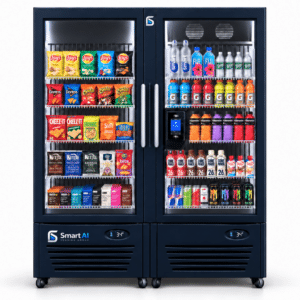
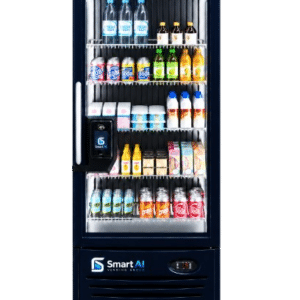
Customers choose directly from the cabinet and checkout is completed through computer vision. There is no barcode scanning.

Scan-and-Pay Cooler

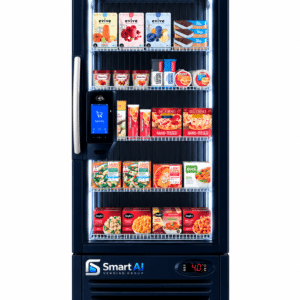
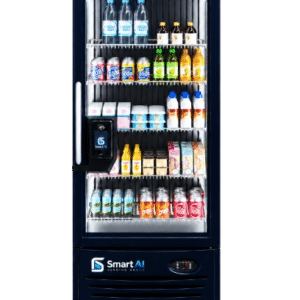
  • 365 PicoCooler: refrigerated storage with a customer checkout interface. This is the non-vision model, so customers scan and pay for each item.

Self-Checkout Kiosks for Micro Markets

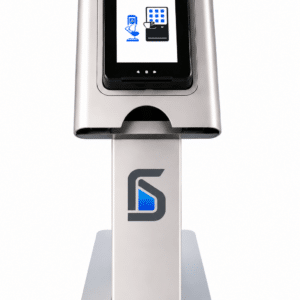
These kiosks are checkout points, not vending machines. Shelving and refrigeration are specified separately.

Coffee Payment Interfaces

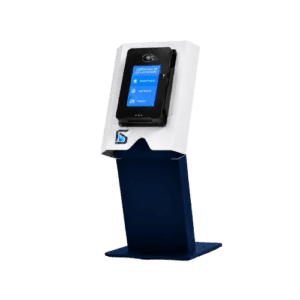
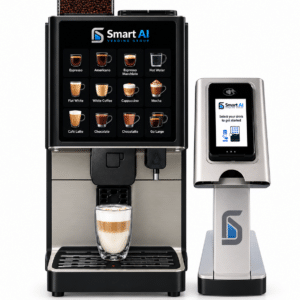
These add a connected payment point to a compatible commercial coffee machine. They do not make coffee, and the brewer is separate.

Plan the Whole System, Not Just the Cabinet

A 365 installation is one specified system. The ambient expansion cabinets rely on a compatible PicoCooler Vision host. The bundles already include that host, so it should not be ordered twice. The kiosks handle checkout only. Shelving, fridges and product stock need their own specification. For PicoCoffee, give us the make and exact model of your coffee machine and any existing payment equipment, so compatibility can be checked and you don’t end up with two overlapping terminals.

365 Retail Markets FAQs

The PicoCooler uses a scan-and-pay workflow, so customers scan each product at the checkout interface. The PicoCooler Vision uses computer vision to identify the products taken, so no scanning is needed. They are separate products.

No. The MM6, MM6 Mini and PicoMarket kiosks provide the checkout function. Shelving, refrigeration, products and any other site equipment are specified and priced separately.

Yes, through a compatible Pico Ambient cabinet. The Standard and Wide bundles each combine a PicoCooler Vision host with one ambient expansion. The ambient cabinet does not operate on its own.

No. PicoCoffee is a payment and management interface for a compatible coffee machine. The brewer is separate and its compatibility must be checked first.

Yes. Stockwell has chilled and ambient product areas within one cabinet and uses computer-vision checkout. The final assortment is tested for recognition and physical fit.

Optional operator training is available for 365 products and is shown separately on each product page.

Build Your 365 Retail Setup

Tell us about your site, your product range and how you want customers to pay. We'll help you choose the right combination of 365 cabinets, kiosks and services.

Request a Smart Vending Quote

Tell us what you need and get buying guidance from the team.

Contact Form